
| |

|
||||||||||||||
 |
|
 |
|
 |
|
 |
|
 |
|
||||||


Uploading Documents & Images to MyChart
Uploading documents is easy, but will be in the form of a
message attachment to a "New Medical Question" within your
MyChart "myCare" account.
If you haven't set up your MyChart/myCare account, just call or text us and we'll resend an activation email.
If you've previously signed up and forget your password, password reset can be done easily on the MyChart/myCare site.
Login to MyChart
In order to login, go to https://mycare.elcaminohospital.org/mychart/Authentication/Login? and enter Login info upper right:
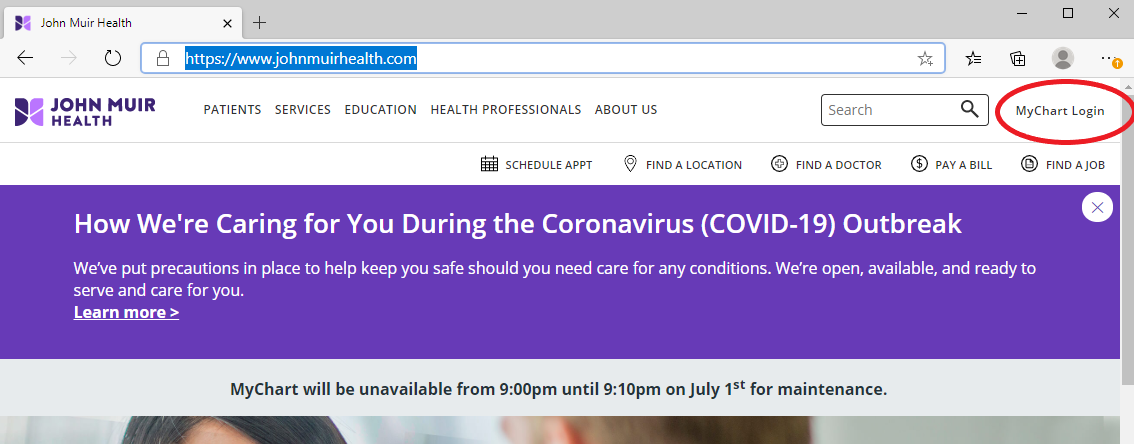
This will bring you to the Login page:
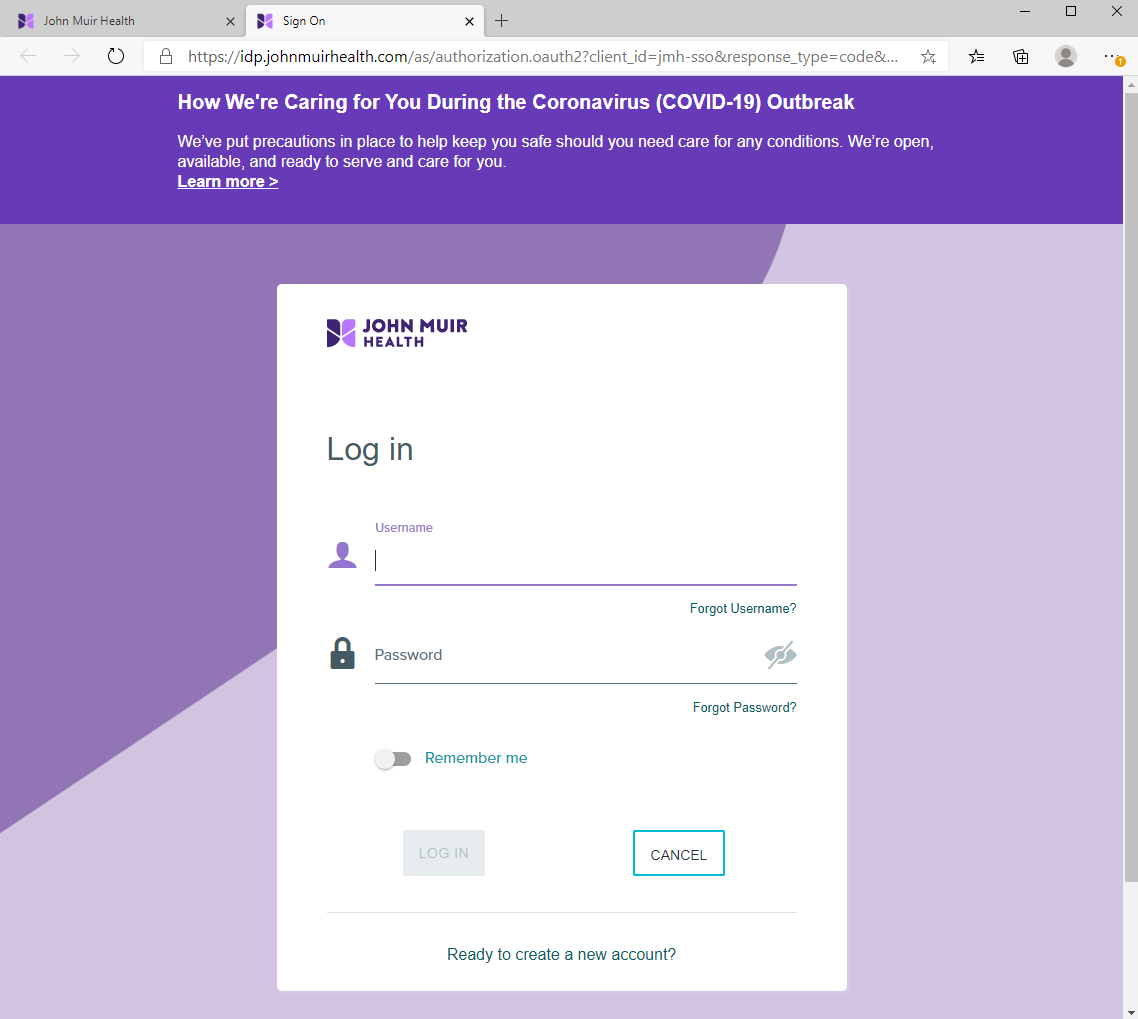
Upload to MyChart
Account: Use "Attach an Image"
221
E. Hacienda Avenue, Ste. B, Campbell, CA 95008
Copyright
© 1999
Silicon Valley Sports Medicine
Phone
| Text: (408) 376-3350
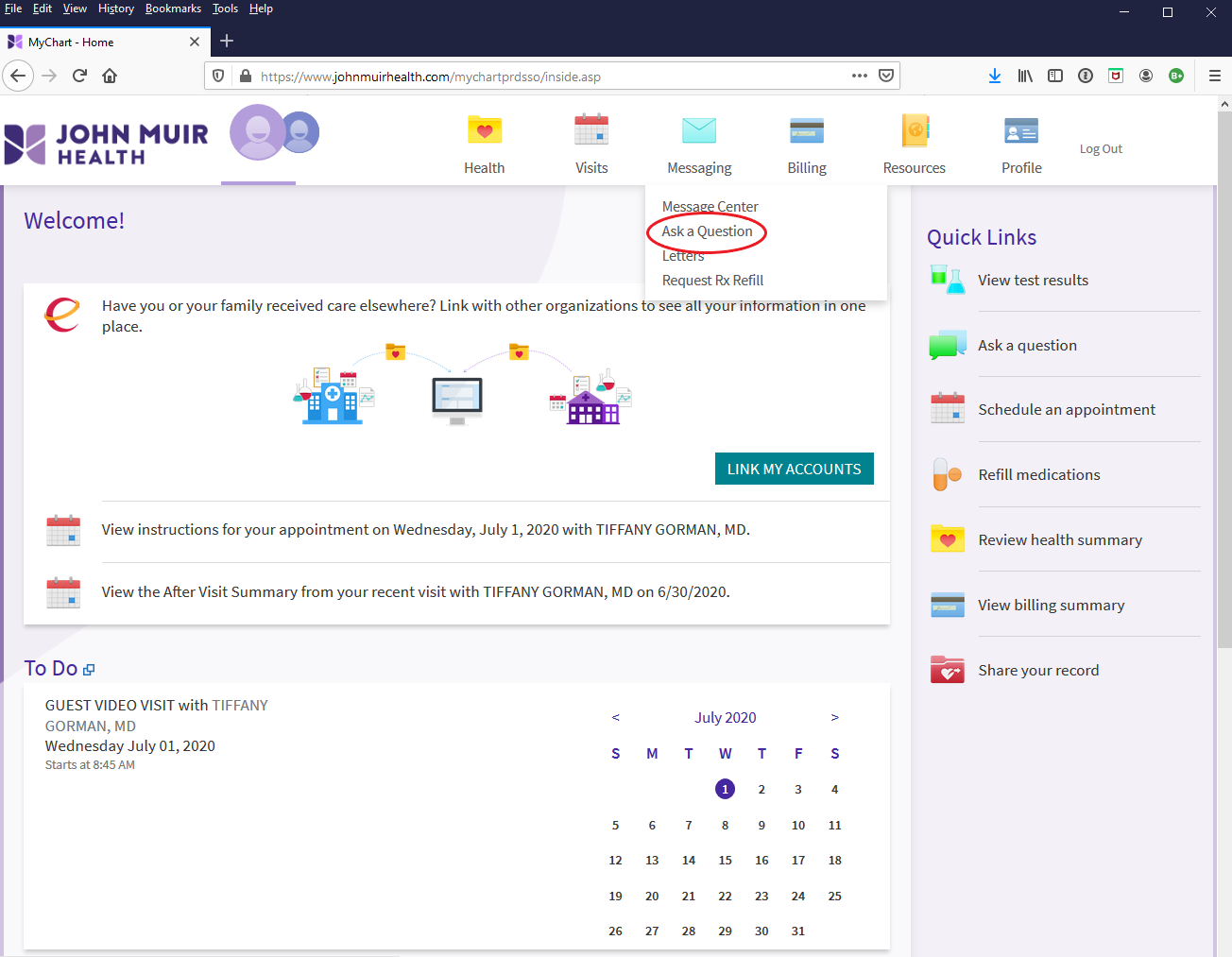
Once logged in, select "Ask a
Question" under messaging top middle or on the right in Quick
Links:
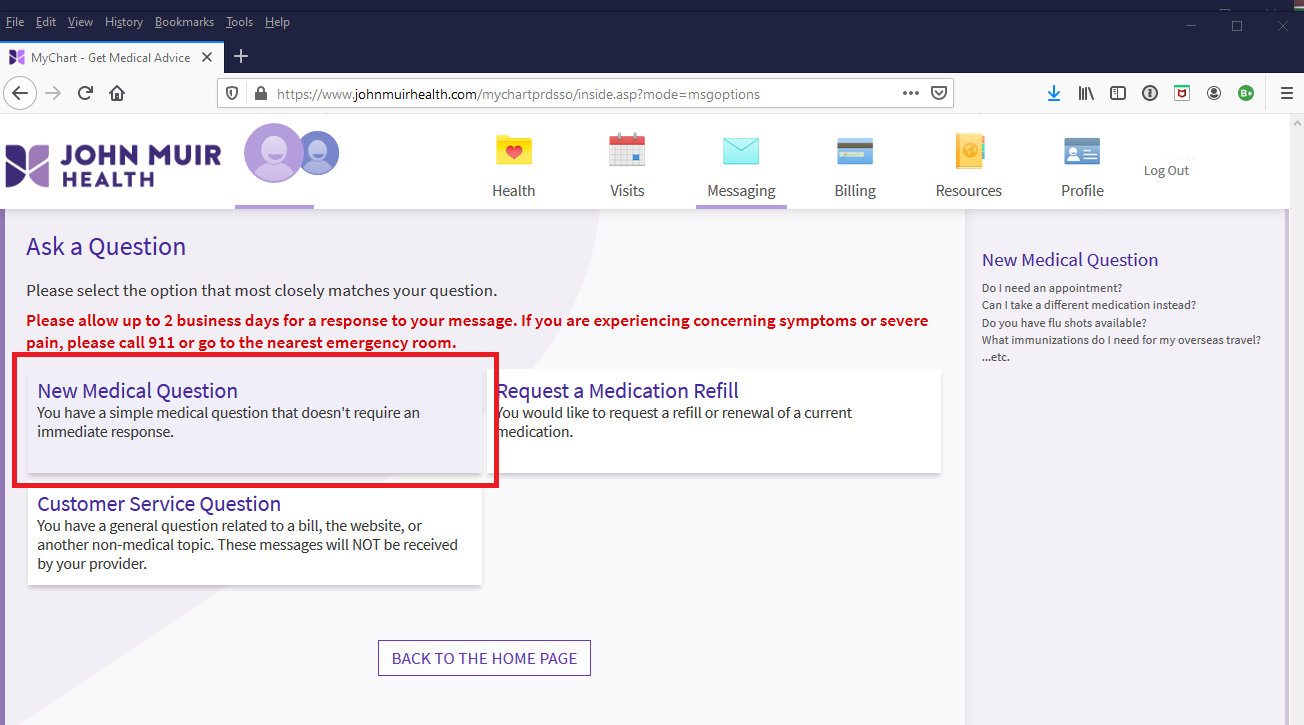
Choose "New Medical Question":
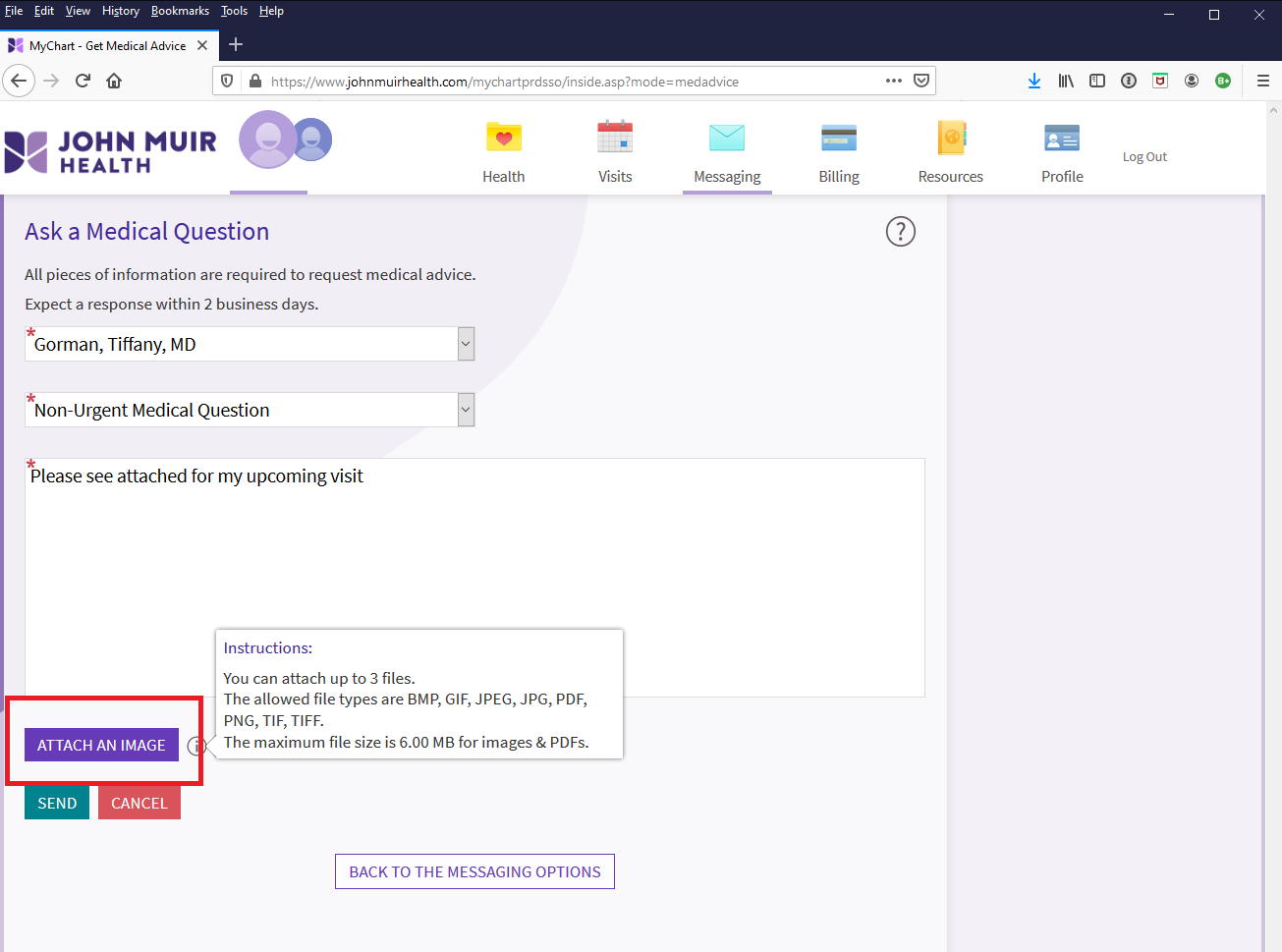
Fill in boxes with red * and attach
documents by clicking on "ATTACH AN IMAGE" (PDFs or other
images):
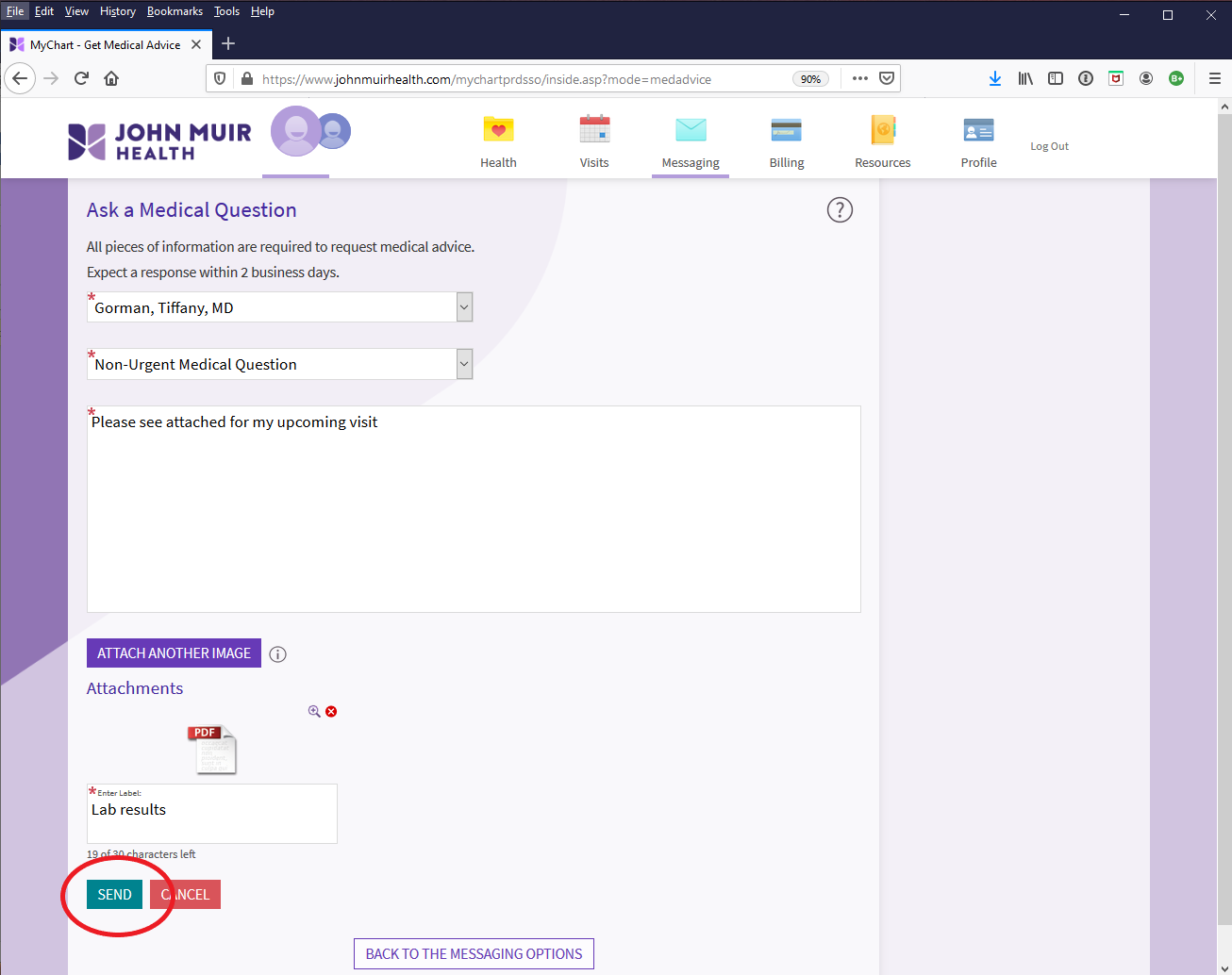
Once documents/images attached,
click on "SEND" button lower left:
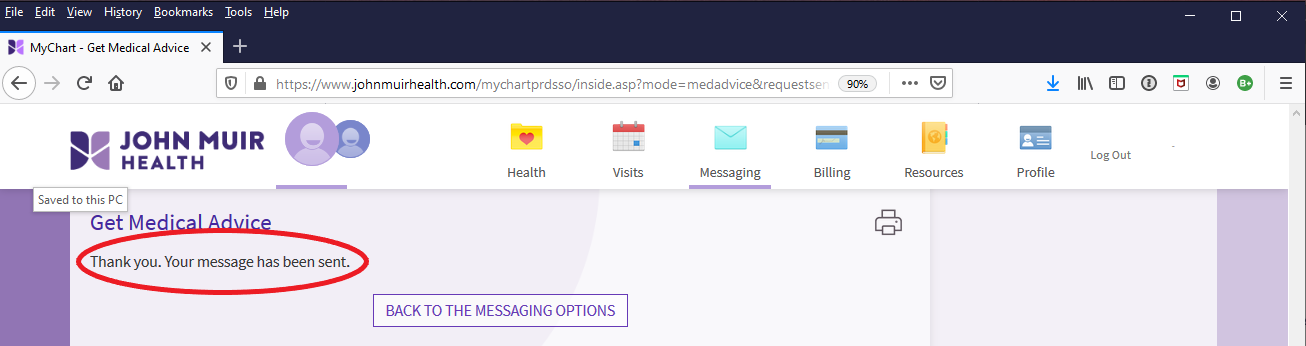
You will then see confirmation
message (with attachments) has been sent:
221
E. Hacienda Avenue, Ste. B, Campbell, CA 95008Copyright
© 1999
Silicon Valley Sports MedicinePhone
| Text: (408) 376-3350